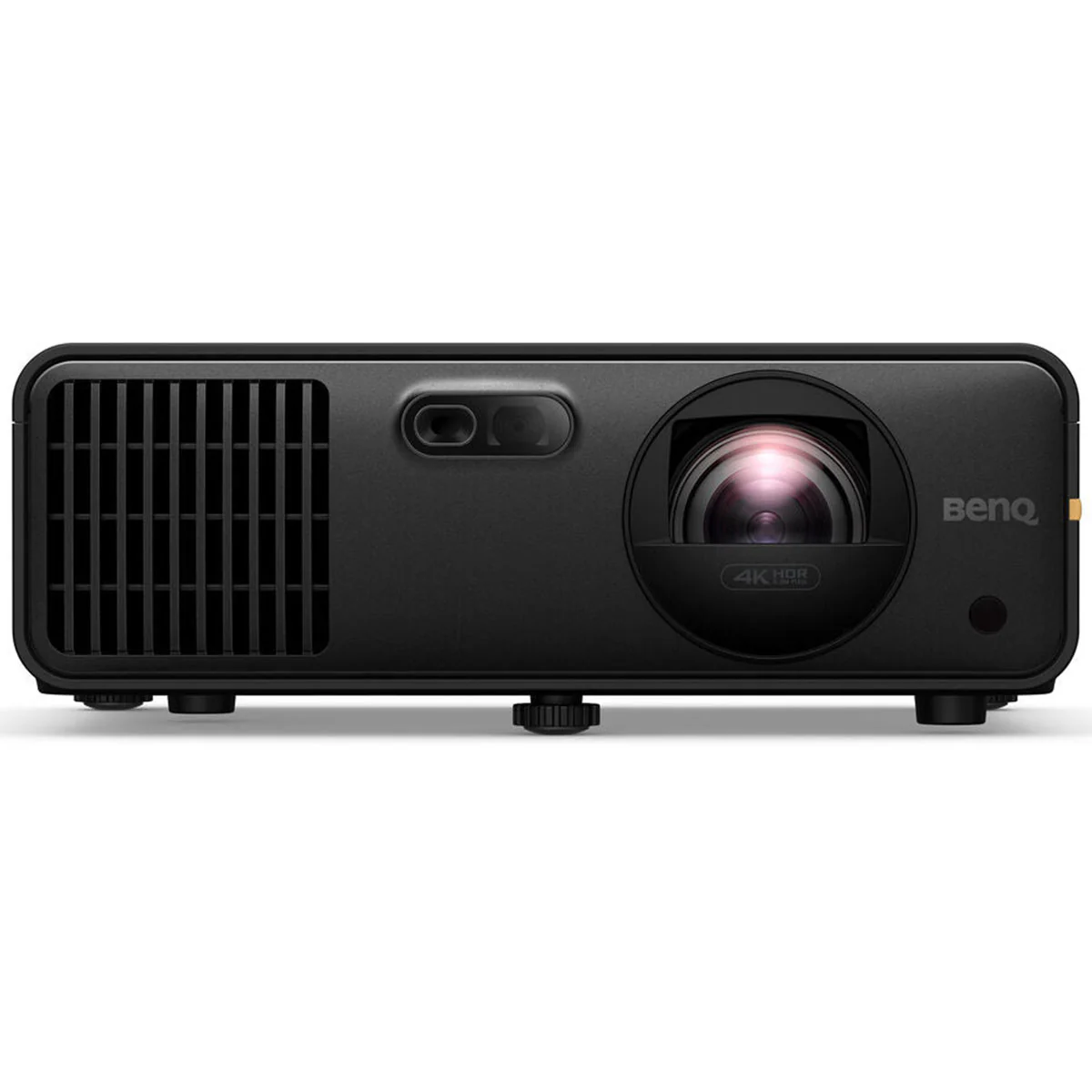
If you’re building a serious golf simulator and not trying to cut corners, the BenQ LK936ST is the projector that we recommend.
There are a lot of “good enough” projector options out there. But once you start investing real money into your setup — enclosure, software, and especially your launch monitor — the projector becomes one of the most important pieces of the entire experience.
And this is where most setups fall short.
You can have an elite launch monitor, but if your image looks dull or slightly blurry, the whole thing feels like a downgrade.
The LK936ST fixes that.
Quick Verdict
The BenQ LK936ST is the best overall golf simulator projector if you’re building a high-end setup. You’re getting true 4K resolution, 5,100 lumens of brightness, a short throw designed for sim rooms, and a laser light source that lasts for years.
If you’re already using something from our guide to the best golf launch monitors, this is the projector that actually makes your simulator feel complete.
Why the BenQ LK936ST Is the Best Golf Simulator Projector
1. 4K Resolution That You Actually Notice
A lot of people think 4K is overkill for a golf simulator — until they see it.
Where it really shows up is:
- Approach shots into the green
- Reading slopes and contours
- Text and data overlays that don’t look fuzzy
We’ve seen plenty of 1080p setups that “work,” but once you upgrade, it’s hard to go back.
2. Bright Enough for Real Rooms (Not Just Perfect Ones)
Most people don’t have a perfectly blacked-out simulator room.
Garages, basements, multi-use spaces — there’s usually some ambient light. And this is where cheaper projectors start to fall apart.
The 5,100 lumens on the LK936ST isn’t just a spec — it actually shows up in real use.
We’ve seen plenty of “bright” projectors that still look washed out with the lights on.
This one doesn’t.
3. Short Throw That Just Works
With a ~0.8:1 throw ratio, this projector is built for simulator setups.
That means:
- You can mount it closer to the screen
- No shadows during your swing
- No awkward mounting positions
This is one of those things you don’t think about until you get it wrong — and then it drives you crazy. The LK936ST avoids that completely.
4. Laser Light Source = Set It and Forget It
This uses a laser light engine, which is a big upgrade over traditional bulb projectors.
- ~20,000 hour lifespan
- No bulb replacements
- No gradual dimming after a few hundred hours
If you’re building a dedicated sim room, this is the kind of thing you want to install once and not think about again.
5. Easy to Dial In (Even If Your Room Isn’t Perfect)
Most simulator rooms aren’t perfectly centered or symmetrical.
The LK936ST gives you:
- Lens shift
- Keystone correction
- Flexible mounting options
So even if your setup isn’t perfect (and most aren’t), you can still get a clean, squared image without a ton of frustration.
Why This Is the Best
What separates the LK936ST isn’t just one feature — it’s that there are no real weaknesses.
Most projectors force you to compromise somewhere:
- You get 4K, but not enough brightness
- You get brightness, but poor placement flexibility
- You get a good price, but the image looks average
This is one of the few options where everything just works together.
And more importantly — it keeps up with the rest of a high-end setup.
What Makes This a “No Budget” Pick?
Let’s be honest — most golfers don’t need this projector.
If you’re running a Garmin R10 into a net in your garage, this is overkill.
But if you’re investing in:
- A premium launch monitor
- A full enclosure
- GSPro, E6 Connect, or similar software
Then going cheap on the projector is where things start to feel off.
This is the piece that ties everything together.
If you want to explore other options at different price points, check out our full general overview to the best golf simulator projectors.
Any Downsides?
Not many, but a couple worth calling out:
- Price – This is firmly in the premium category
- Overkill for entry-level setups – You won’t fully benefit unless the rest of your setup matches it
That’s really it.
Who Should Buy the BenQ LK936ST?
This makes the most sense if you’re:
- Building a dedicated simulator room
- Using GSPro, E6, or TGC 2019
- Pairing it with a mid-to-high-end launch monitor
- Looking for a long-term, no-compromise setup
BenQ LK936ST
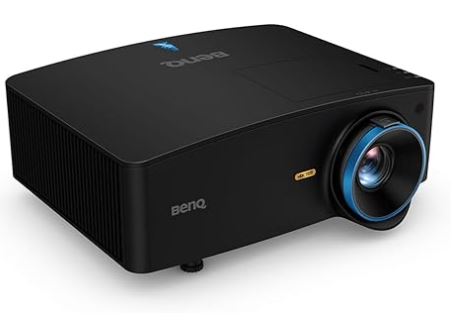
Best For: High-end simulator rooms who want the best.
Affiliate Disclosure: If you purchase through this link, we may earn a commission at no additional cost to you.
Final Thoughts
If your goal is to build one of the best home golf simulator setups possible, the BenQ LK936ST is the projector we’d recommend without hesitation.
There are cheaper options.
There are solid value picks.
But if you want your simulator to actually look as good as it performs — this is the one that delivers.